


How to Size Your Watch Bracelet and Swap Your Strap at Home

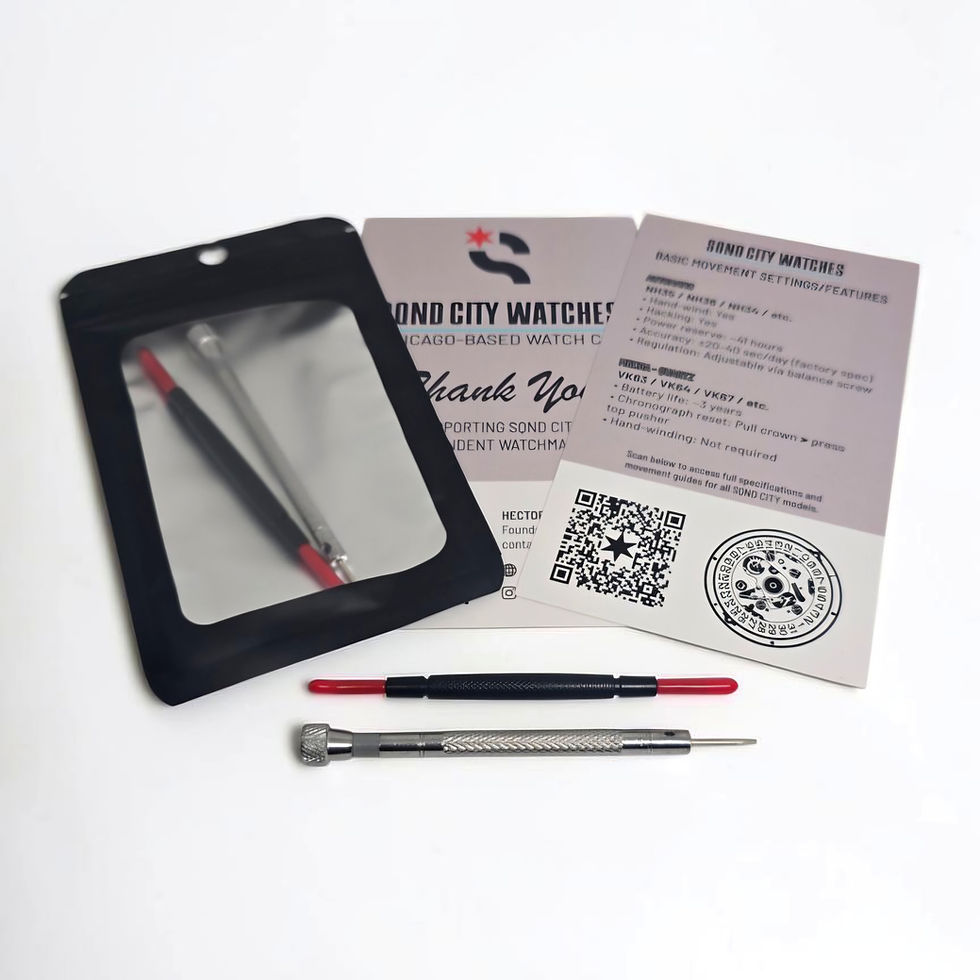
One of the most common questions I get after someone buys a watch on a bracelet is, "How do I make this fit?" Good news: you don't need a jeweler. Every SQND CITY watch ships with a spring bar tool and a small screwdriver, and with a few minutes and a little patience you can get a perfect fit at home.
I've sized a lot of bracelets at this point, so here's exactly how I do it.

What you'll need
The spring bar tool and screwdriver that came with your watch
A soft towel or cloth to work on so nothing gets scratched
A small dish or cup to hold pins and screws (trust me, they love to disappear)
Good lighting
Step 1: Figure out how many links to remove
Put the watch on and pinch the bracelet together at the clasp until it feels right. Count how many links are hanging loose. You want to be able to slide a finger between the bracelet and your wrist, about 1 to 2mm of wiggle room. Wrists swell a little during the day, so snug in the morning can feel tight by dinner.
Tip: take the same number of links off each side of the clasp. That keeps the watch head centered on your wrist. If it's an odd number, take the extra one from the 6 o'clock side.
Step 2: Identify your pin type
Flip the bracelet over and look at the side of the links. Most bracelets use one of these:
Screw pins: you'll see a tiny screw head on the side of the link. Use the screwdriver to unscrew it.
Push pins: look for small arrows stamped on the inside of the links. The arrow shows the direction to push the pin out.
Split pins: a pin with a split or tapered end. These also push out in one direction.

Step 3: Remove the links
Lay the bracelet on your towel, inside facing up.
For screw pins, turn the screw counterclockwise slowly with steady pressure. Don't force it; if it feels stuck, stop and reseat the screwdriver.
For push or split pins, use the pin end of your tool and push in the direction of the arrow until the pin slides out.
Remove the link, then reconnect the bracelet and reinsert the pin in the opposite direction it came out.
Repeat on the other side of the clasp.

Step 4: Fine tune with the clasp
Most clasps have two or three small holes on the side for micro adjustment. Use the forked end of the spring bar tool to press in the spring bar, move it to the next hole, and release. This is how you get from "almost" to "perfect."
How to swap a strap
Swapping straps is one of the easiest ways to completely change the look of a watch. Most of my builds use standard spring bars, so here's how it works:
Flip the watch over on your towel.
Slide the forked end of the spring bar tool between the strap and the lug, find the spring bar, and press it inward.
Gently tilt the strap out once the bar clears the lug hole. Repeat on the other side.
To install the new strap, set one end of the spring bar in its lug hole, compress the other end with the tool, and slide it into place.
Give the strap a firm tug on each side. You should hear or feel it click in.


Tip: if your strap has quick release pins, just pull the little lever and it pops right off. No tools needed.
When to ask for help
If a screw is stuck, a pin won't budge, or anything feels like it's about to bend, stop. Send me a message and I'll walk you through it or take care of it for you. I'd rather help than have your watch get scratched.
And if you're ordering a watch on a bracelet and know your wrist size, include it in your order note. I'm always happy to size it before it ships.
Hector, SQND CITY
Image credits
Pin-remover photo: © SQND CITY. All rights reserved.
Image: Clasp 2 by Francis Flinch, via Wikimedia Commons. CC BY-SA 4.0. Edited for SQND CITY: cleanup, background replacement and soft shadows. This adapted image is licensed under CC BY-SA 4.0.
Image: Bracelet links connected by cotter pins by Francis Flinch, via Wikimedia Commons. CC0 1.0. Edited for SQND CITY: cleanup, background replacement and soft shadows.
Adapted from Spring bar removal by Philip, via Restarters Wiki. Cleaned and retouched for SQND CITY. Adapted image licensed under CC BY-SA 4.0.
Image: Federstege by DerHans04, via Wikimedia Commons. CC BY-SA 3.0. Edited for SQND CITY: cleanup, background replacement and soft shadows. This adapted image is licensed under CC BY-SA 3.0.
Bracelet comparison collage: adapted from Split pin link watch bracelet and Screw link watch bracelet by Philip, via Restarters Wiki. Cleaned, retouched, combined side by side and labeled for SQND CITY. This adapted image is licensed under CC BY-SA 4.0.
Comments